
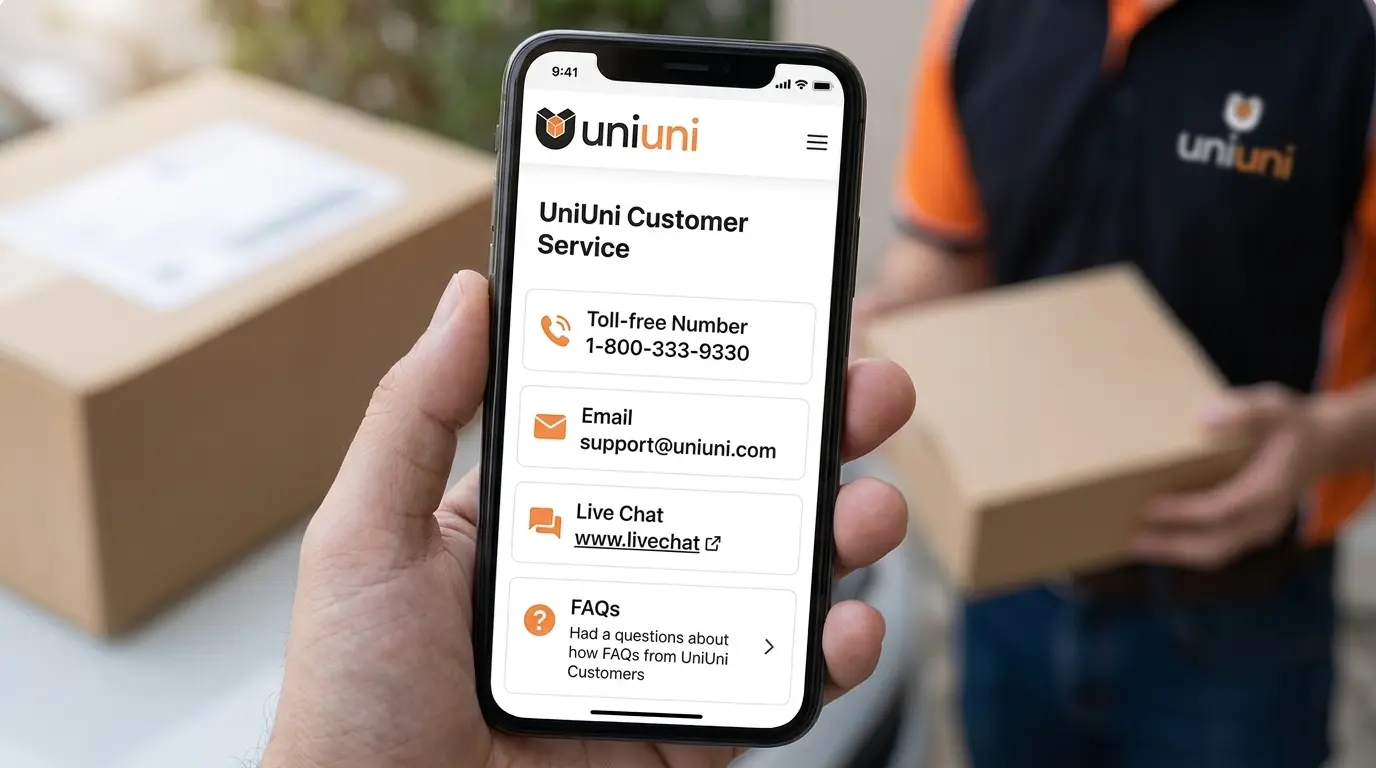
Need help with a UniUni package? You can contact customer support by phone or through the official UniUni chatbot. The right option depends on your location and the type of delivery problem.
This guide covers UniUni customer service phone numbers for the United States and Canada, current call-centre hours, how to reach a support agent, and what to do if your package is delayed, missing, damaged, or marked as delivered.
Quick answer: UniUni provides regional phone support and an online chatbot that can connect customers with its support team. Phone support is listed as available Monday through Saturday, 10 AM to 9 PM Eastern Time.
UniUni Customer Service Phone Numbers (USA & Canada)
UniUni lists different customer service numbers according to your region and time zone. Choose the number that matches where you live.
| Country | Time Zone | Customer Service Number |
|---|---|---|
| Canada | Pacific & Mountain | 1-604-229-2007 |
| Canada | Central, Eastern & Atlantic | 1-647-360-4178 |
| United States | Pacific & Mountain | 1-424-284-2432 |
| United States | Central & Eastern | 1-315-533-4690 |
Customer service hours: Monday to Saturday, 10 AM–9 PM Eastern Time (ET).
These numbers and hours are listed in UniUni’s official French-language website service notice. If a number does not connect, use the official Support page to access the latest available contact options.
Before calling, keep your tracking number and delivery details nearby. This helps the support team identify the correct shipment.
How to Contact a Live Person at UniUni
If you want help from a real customer service representative, start with the phone number for your region or use the chatbot on UniUni’s Support page.
Option 1: Call UniUni Customer Service
- Select the phone number that matches your country and time zone.
- Call during the published customer service hours.
- Keep your UniUni tracking number ready.
- Explain the delivery issue in a few clear sentences.
- Ask whether a support case or investigation can be opened if the issue needs further review.
If you are calling about a missing package, mention the last tracking update and the date it appeared.
Option 2: Use the UniUni Chatbot
UniUni provides an online chatbot through its official Support page. It is the recommended starting point for many delivery-related requests.
To use it:
- Open the UniUni Support page.
- Select the chatbot or chat-with-support option.
- Choose the issue that best matches your situation.
- Enter your tracking number and requested details.
- Follow the instructions to connect with customer support.
UniUni says customers can use the chatbot to connect with a support agent for personalized assistance. It is not the same as a guaranteed 24-hour human live-chat service.
Which Contact Method Should You Use?
| Your problem | Recommended option |
|---|---|
| Urgent delivery problem | Call the regional customer service number |
| Address or delivery-instruction change | UniUni chatbot |
| Failed delivery or redelivery request | UniUni chatbot |
| Package marked delivered but missing | Tracking page, then chatbot |
| Damaged parcel | Chatbot with photographs |
| Wrong or missing items inside the parcel | Contact the seller |
| Refund or product return | Contact the retailer or marketplace |
Does UniUni Have a Customer Service Email?
For package-related support, UniUni’s official English Support page directs customers to its chatbot and FAQs. It does not present a dedicated general delivery-support email address on that page.
UniUni lists an email address in its Terms and Conditions, but that should not automatically be treated as a dedicated parcel investigation or delivery-support channel.
For a delayed, missing, damaged, or incorrectly delivered package, use the official chatbot or the regional phone number above. This helps direct your request to the appropriate support process.
UniUni Customer Service Hours and Weekend Availability
UniUni’s published customer service call-centre hours are:
| Detail | Availability |
|---|---|
| Days | Monday–Saturday |
| Opening time | 10 AM Eastern Time |
| Closing time | 9 PM Eastern Time |
| Sunday phone support | Not listed in the published schedule |
The published hours are in Eastern Time, not necessarily your local time. For example, customers on the US West Coast should account for the time difference before calling.
The online Support page provides FAQs and chatbot access separately. Do not assume that chatbot access and human-agent availability follow the same schedule as phone support.
Does UniUni Deliver on Saturdays and Sundays?
Delivery operations and customer service hours are different. A package may be delivered on a day when phone support is unavailable.
Check your tracking page for the latest shipment status and estimated delivery date. If the delivery is overdue or an attempt has failed, submit a request through the chatbot.
What Information Do You Need Before Contacting UniUni?
Preparing the right details can make a support request easier to understand and investigate.
Keep these details ready:
- UniUni tracking number: The shipment identifier shown on your tracking page.
- Retailer order number: The reference provided by Temu, SHEIN, AliExpress, TikTok Shop, or another seller.
- Recipient name: The name used for the delivery.
- Delivery address: Include the apartment or unit number where applicable.
- Contact details: A phone number or email address where support can reach you.
- Problem description: Explain what happened and when you first noticed it.
- Evidence: Screenshots or delivery photographs, if available.
A tracking number and an online-store order number are not necessarily the same. Use the UniUni tracking number when asking the carrier about a shipment.
How to Resolve Common UniUni Delivery Problems
Before contacting support, identify what your tracking page actually shows. Different delivery problems require different actions.
UniUni Tracking Has Not Updated
A tracking page without new scans does not automatically mean your parcel is lost.
UniUni explains that a seller may still be processing an order before physically handing it over to the carrier. An estimated delivery date may appear after UniUni receives the parcel.
Try these steps:
- Check the latest tracking event and its date.
- Confirm that you entered the correct tracking number.
- Check the retailer’s order page for shipping or handover information.
- Contact the seller if UniUni has not physically received the parcel.
- Contact UniUni if the parcel has already entered its network but has stopped progressing.
If the seller has not handed over the package, the seller is usually the better first contact.
UniUni Says Delivered, but the Package Is Missing
A Delivered scan can be confusing when you cannot see the parcel. Check the delivery location before reporting it as missing.
- Open the UniUni tracking page.
- Look for the View Delivery Confirmation option.
- Enter the postal code or ZIP code associated with the shipment if requested.
- Review the available proof-of-delivery photographs.
- Check your front door, mailbox, lobby, reception area, and other safe locations.
- Ask household members, neighbours, or building management whether they accepted the package.
If you still cannot locate it, submit a request through the UniUni chatbot with your tracking number and relevant details.
UniUni Delivery Attempt Failed
A failed delivery attempt does not necessarily mean the package is being returned immediately.
According to UniUni’s published policy:
- First failed attempt: A new attempt is expected within 48 hours in most circumstances.
- Second failed attempt: The parcel is returned to a UniUni warehouse.
- Storage status: Once tracking shows “Storage,” contact customer support to arrange redelivery. UniUni says the parcel is stored for 30 days.
If your address is incorrect or missing an apartment number, submit updated delivery information through the chatbot.
UniUni does not deliver to post offices or PO boxes.
How to Change Your UniUni Delivery Address
If you entered an incomplete address, missing unit number, or incorrect delivery instruction, submit a request through the UniUni chatbot.
You may need to provide:
- Tracking number
- Correct delivery address
- Apartment or unit number
- Gate or buzzer code, if applicable
- Updated contact information
- Any relevant delivery instructions
Important: UniUni notes that if a package is already out for delivery, updated instructions may not reach the driver in time. Submit address changes as early as possible.
UniUni Package Arrived Damaged
If your parcel arrives damaged, document the condition before disposing of its packaging.
- Take clear photographs of the outer package.
- Photograph the damaged contents.
- Keep your tracking number and order information.
- Submit the photographs and details through the UniUni chatbot.
- Contact the retailer as well if the product is damaged or unusable.
UniUni’s support team can review the delivery-related issue and determine the next steps. The seller may also need to handle a replacement or refund.
UniUni Package Is Lost or Stuck in Storage
If the package has not moved for an unusually long period, or tracking shows Storage, contact UniUni with the latest tracking information.
Explain:
- The last recorded scan
- When that scan appeared
- Whether the estimated delivery date has passed
- Whether you have already received a failed-delivery notice
For a parcel in Storage, request redelivery through the chatbot. UniUni’s published guidance says stored parcels are held for 30 days, so do not leave the request until the end of that period.
Should You Contact UniUni or the Online Seller?
This is an important distinction. UniUni handles the delivery, while the retailer or marketplace handles the order and product-related issues.
| Situation | Contact |
|---|---|
| Parcel is in transit but delayed | UniUni, if it has received the parcel |
| Seller has not handed over the parcel | Online seller |
| Address or delivery instructions need changing | UniUni |
| Delivery attempt failed | UniUni |
| Tracking says delivered but parcel is missing | UniUni and the seller |
| Item inside the parcel is missing | Online seller |
| Wrong product received | Online seller |
| Product return or refund | Online seller or marketplace |
For orders from Temu, SHEIN, AliExpress, or TikTok Shop, you can also open the order’s help or buyer-protection section if the delivery issue is not resolved.
UniUni provides last-mile delivery services; it does not manage the retailer’s product-return and refund policies.
How to Track Your UniUni Package Before Contacting Support
Checking the latest scan before contacting customer service can save time and help you explain the problem accurately.
Use the official tracking service to:
- Check the latest shipment status.
- Review the estimated delivery date when available.
- Identify the date of the most recent scan.
- View delivery confirmation photographs when available.
You can also compare the status with your retailer’s order page. If the two pages show different information, share both updates when contacting support.
Frequently Asked Questions
What is the UniUni customer service phone number in the USA?
UniUni lists 1-424-284-2432 for Pacific and Mountain time zones and 1-315-533-4690 for Central and Eastern time zones.
What is the UniUni customer service phone number in Canada?
Customers in Pacific and Mountain time zones can call 1-604-229-2007. Customers in Central, Eastern, and Atlantic time zones can call 1-647-360-4178.
What are UniUni customer service hours?
UniUni lists its customer service call-centre hours as Monday through Saturday, 10 AM to 9 PM Eastern Time.
How do I talk to a real person at UniUni?
Call the regional customer service number during its published hours or start a conversation through the official UniUni chatbot. The chatbot can connect customers with a support agent.
Does UniUni have 24/7 live chat?
UniUni provides an online chatbot, but its official Support page does not confirm that a human representative is available 24 hours a day.
Can I contact UniUni about a missing package?
Yes. Check the tracking status and available delivery-confirmation photographs first. If the parcel is still missing, submit the details through the UniUni chatbot or call customer support.
Can UniUni give me a refund?
UniUni handles parcel delivery, not the retailer’s refund policy. Contact the store or marketplace where you placed the order to request a refund or replacement.
Can I request redelivery from UniUni?
Yes. UniUni says customers can request redelivery through its chatbot. If a second delivery attempt fails, wait for the tracking status to show Storage and contact support.
Does UniUni deliver to PO boxes?
No. UniUni states that it cannot deliver packages to post offices or PO boxes. Provide an eligible street delivery address instead.
Can I contact UniUni on Sunday?
The published phone-support schedule lists Monday through Saturday. You can still visit the online Support page to check its FAQs and access the chatbot.
Final Thoughts
The fastest way to resolve a UniUni delivery problem is to identify the latest tracking status and contact the right support channel. Use the regional phone number for time-sensitive questions, or start with the official chatbot for address changes, redelivery, damaged parcels, and delivery investigations.
For missing products, returns, and refunds, contact the original retailer as well. Keeping your tracking number, order details, and delivery evidence ready can make the process clearer and help avoid unnecessary back-and-forth.